 English
 Русский
Your Goal
Activate an eSIM on your iPhone using a QR code to access mobile services without a physical SIM card.
Environment
To activate an eSIM on your iPhone using a QR code, you will need:
-
an iPhone that supports eSIM (e.g., iPhone XR, iPhone XS, iPhone 11 and newer) running iOS 12.1 or later;
-
a second device (such as a tablet or laptop) displaying your QR code, or a printed copy of the QR code.
Prerequisites
Make sure the following conditions are met:
-
you have already received a QR code from your mobile carrier or eSIM provider;
-
your iPhone is connected to the internet via Wi-Fi or mobile data.
Steps
-
Open the QR code on your second device, or prepare the printed copy.
-
On your iPhone, open the Settings app.
-
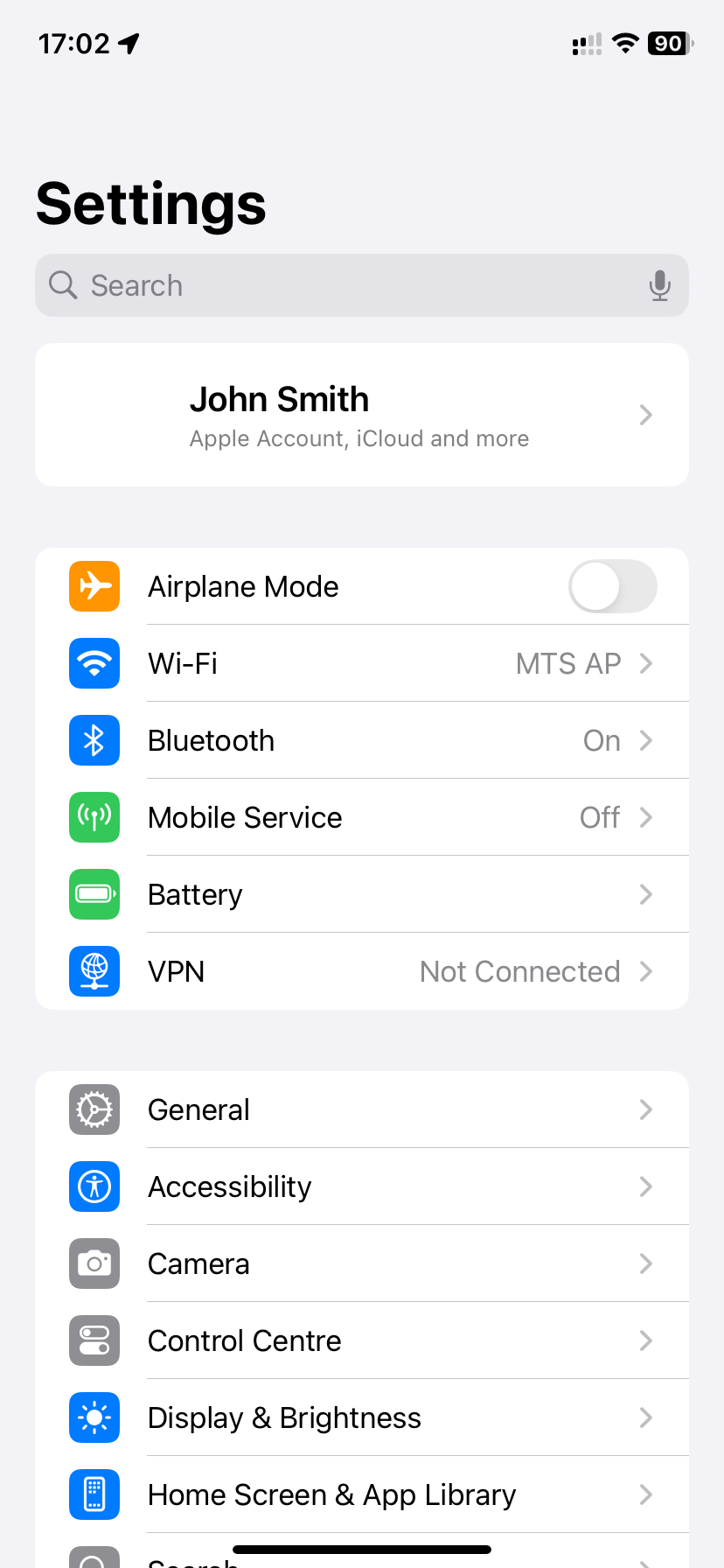
Go to Cellular (or Mobile Data, Mobile Service, etc., depending on your iOS version):
-
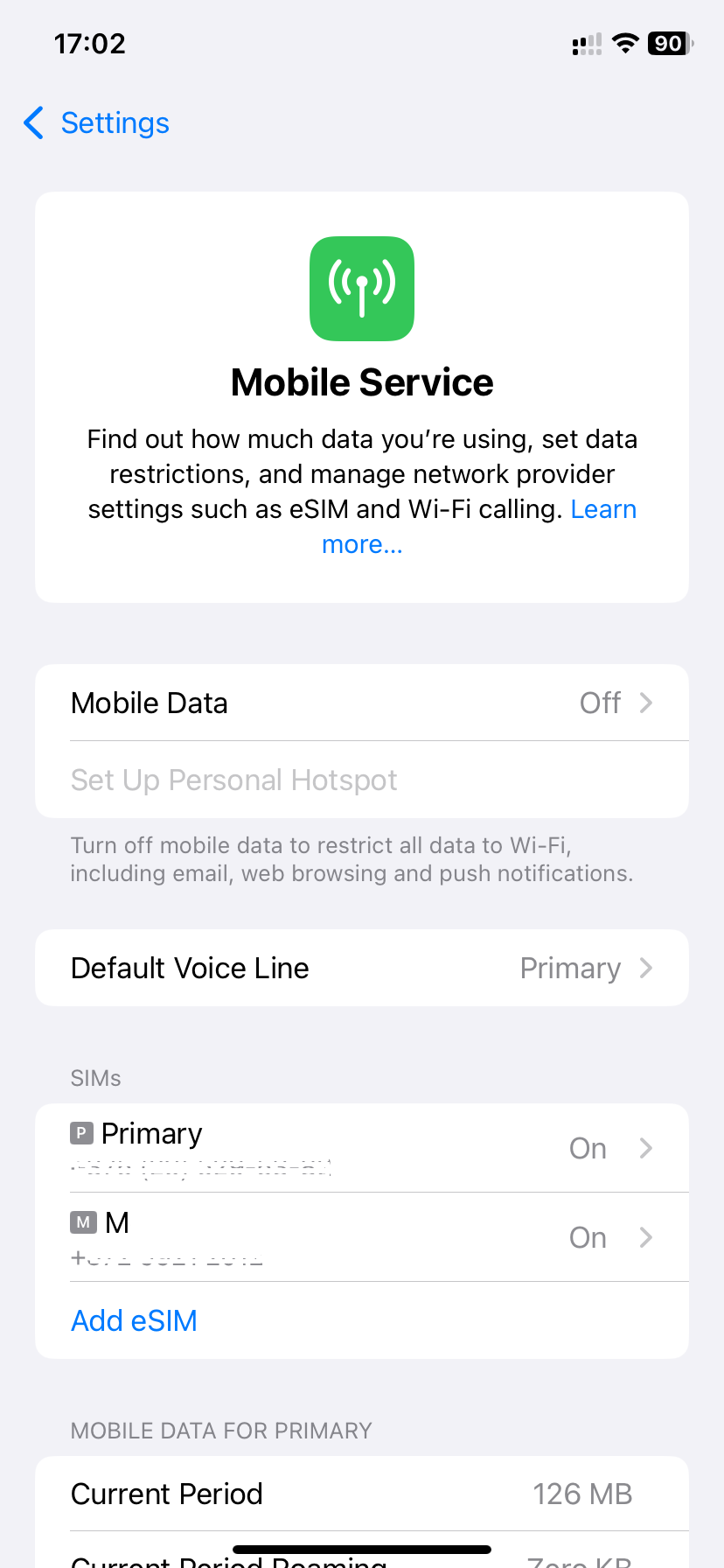
Tap Add Cellular Plan (or Add eSIM, depending on your iOS version):
-
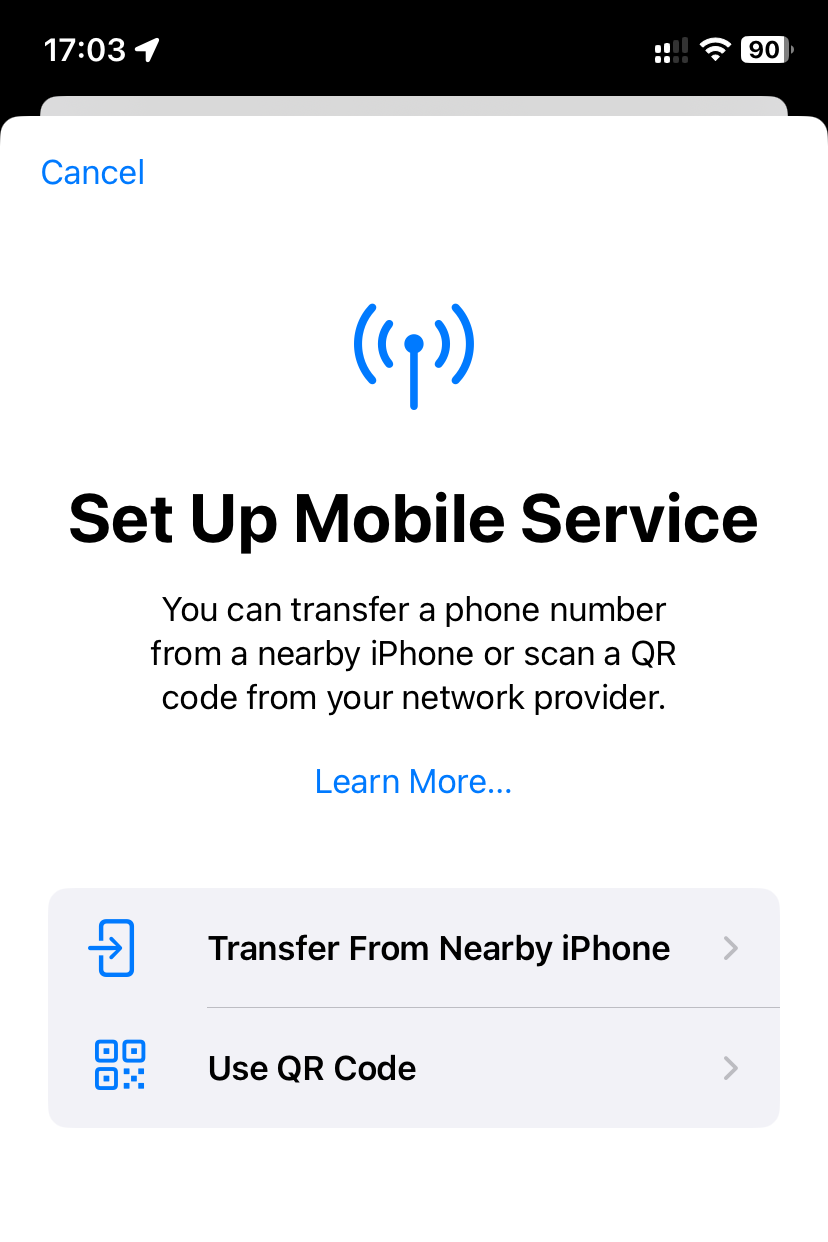
On the next screen, select the Use QR Code option:
-
Use your iPhone’s camera to scan the QR code.
-
When prompted, tap Add Cellular Plan or Continue.
-
Wait for the eSIM profile to download onto your iPhone. This usually takes just a few seconds.
-
If prompted, choose your active SIM (for example, if you already have another physical SIM or eSIM installed).
-
Wait until your eSIM is registered on your carrier’s network. This may take from a few seconds to a few minutes.
Done!
Your eSIM is now activated, and you can start using mobile services without a physical SIM card.