 English
 Русский
Your Goal
Find the ICCID number of the eSIM profile activated on your iPhone so you can provide it to your eSIM provider if needed for support.
Requirements
Before you begin, make sure the eSIM profile you want to check is already activated on your iPhone.
Steps
-
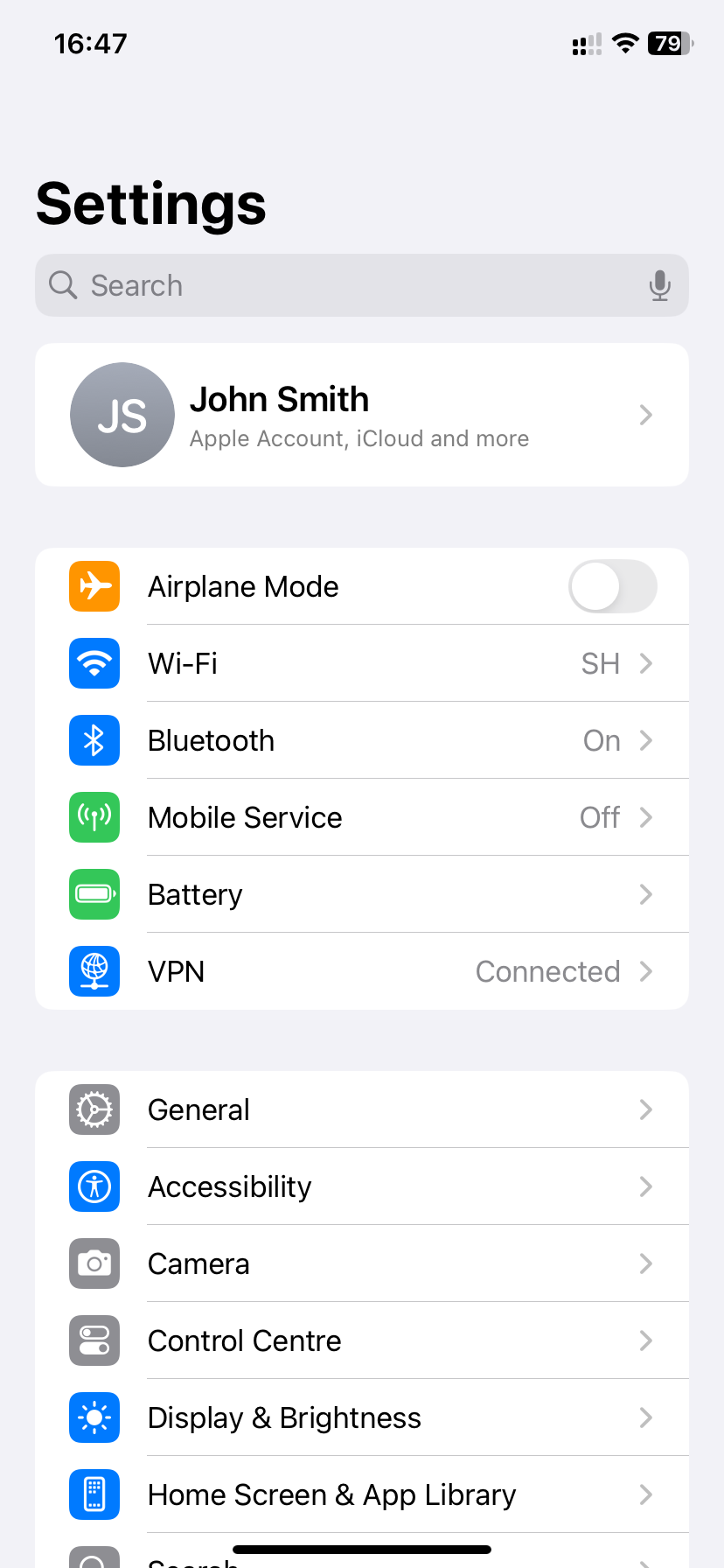
Open the Settings app on your iPhone.
-
Go to General:
-
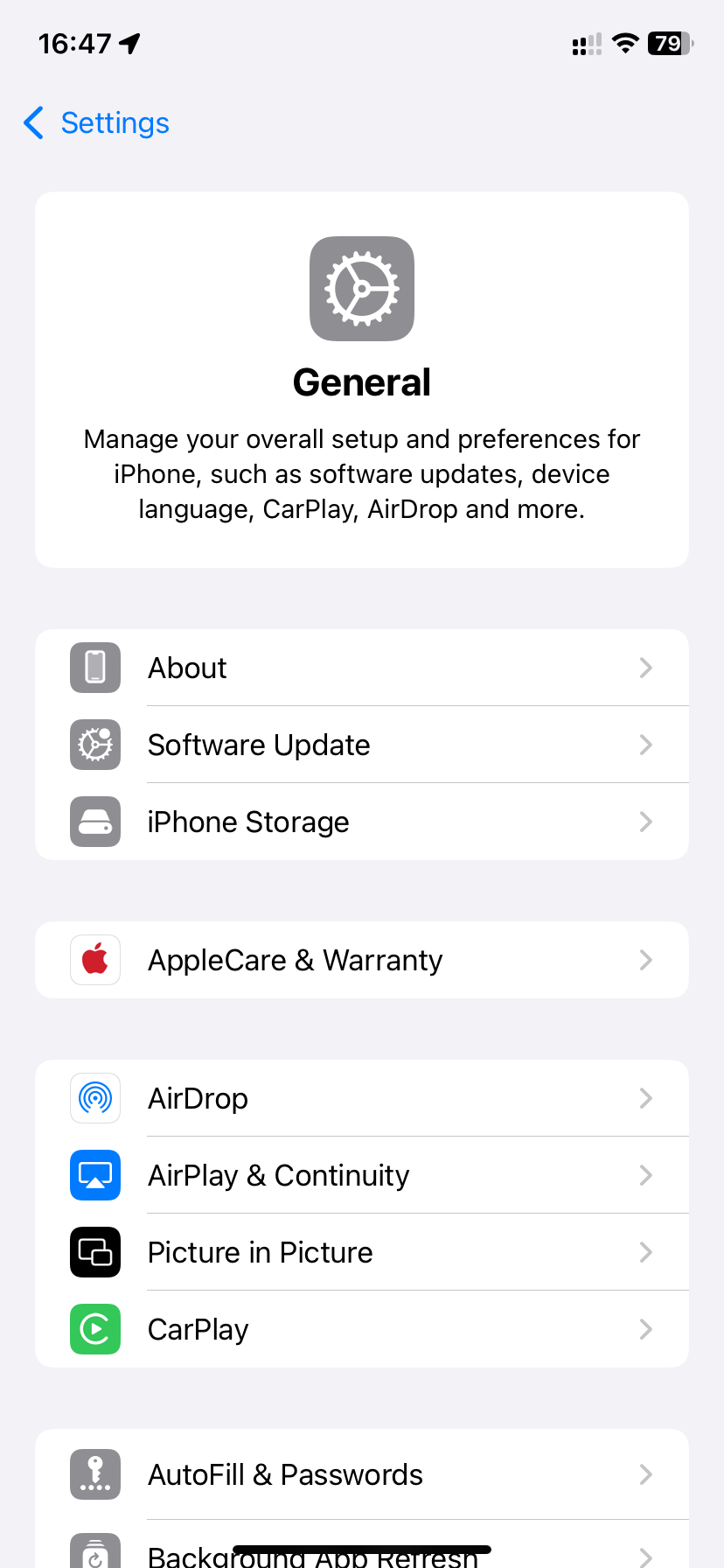
Tap About:
-
Scroll down on the About screen to view information about your eSIM, including the ICCID:
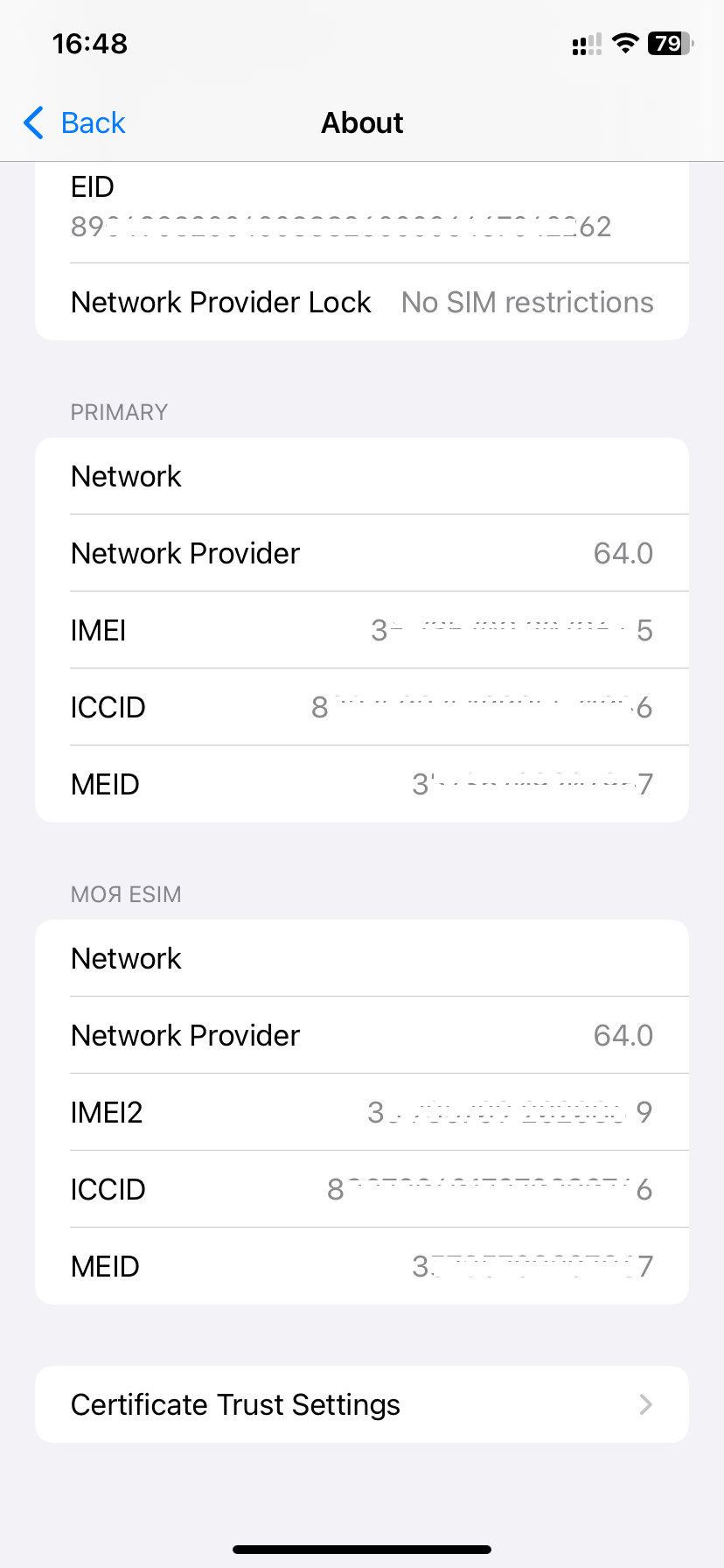
The ICCID is a 20-digit number. Depending on the device, it may appear as 19 or 20 digits.